

If Local Services Ads bring you signed cases, read the email Google sends before you archive it. Starting in August 2026, Google is retiring the standalone Local Services Ads dashboard and folding LSAs into the main Google Ads platform as a new Performance Max campaign type built for pay-per-lead goals.
Important: The bidding model changes, the budget structure changes, and your historical performance data does not come with you unless you save it first.
For personal injury, family law, immigration, and criminal defense firms that lean on the Google Guaranteed spot, the stakes are your lead flow and your ability to prove ROI.
Here is what the migration actually changes, why it matters to your firm specifically, and the exact steps to take in the two weeks before your account moves.

Review all policy changes here: Local Services Ads transition to Performance Max campaigns with pay-per-lead goals
What's Changing (and What Isn't)
The core product survives. According to Google's official migration notice, four things stay exactly the same after your account moves:
- You still pay per valid lead, not per click. A prospect viewing or tapping your ad does not create a charge.
- Your ads keep serving only on Google Search and Google Maps, in the same Local Services positions. Despite the Performance Max name, these campaigns never spill onto YouTube, Gmail, or the Display Network.
- Targeting stays keywordless. Google matches you on practice areas, service areas, and hours, so you never build a keyword list.
- Your Google Verified badge and verification status carry over automatically. No repeat license or insurance checks just because the account moved.
What changes is the machinery underneath. You will manage budgets, bidding, targeting, and leads inside Google Ads instead of the separate LSA dashboard. Your past customer leads, message threads, and call recordings transfer into a new Lead Manager. Better Business Bureau callouts go away, so plan to add at least six other structured callouts like practice-area specialties, hours, or accepted payment methods to keep your profile competitive.
The three shifts that carry real money attached are historical reporting, bidding, and budgets. Those get their own sections below, because getting any of the three wrong quietly costs you.
Why This Hits Law Firms Harder
Legal services is a different animal. A single personal injury lead can be worth a five or six figure fee. A family law or criminal defense matter can run for months. When a lead is that valuable, the price you are willing to pay for it, and your ability to track which leads became clients, is the whole game. That is why the two changes buried in Google's announcement matter more to a law firm than to a roofer: the loss of manual bid control and the loss of historical data.
For a home services company, LSAs are a lead faucet. For a law firm, they are often the single highest-intent client source you own. Treat this migration with the same care you would a change to your intake system.
LSAs put your firm in the Google Guaranteed placement above the regular ads and the map pack, next to a green checkmark that signals trust before anyone reads a word. For the practice areas we work with most, that placement does heavy lifting. If you want the fundamentals of how LSAs generate legal leads in the first place, our complete guide to Local Services Ads for lawyers covers setup and lead quality in depth. This article assumes you already run them and focuses on protecting what you have built.
Download Your Historical LSA Data First
This is the one step you cannot undo later. Google is explicit: historical campaign performance reports will not migrate to Google Ads. Your past leads and conversations transfer. Your spend history, lead counts, cost per lead, and results by practice area do not.
Once your account flips, the old dashboard is gone. Try to log in on or after your migration day and Google redirects you straight to Google Ads, where those old reports simply do not exist. There is no "restore from backup" button.
Before your migration date, export reports that show:
- Total ad spend by month and by year
- Number of leads and your charged versus credited leads
- Average cost per lead
- Results broken out by practice area
- Results broken out by location or service area
You pull these from the reports section of your current Local Services Ads dashboard. Google's step-by-step is in its guide to viewing Local Services Ads reports. Save the files somewhere your whole team can reach them, not one person's desktop.
Lose this data and you lose the baseline. Six months from now, when a partner asks whether the migration helped or hurt, an unbroken before-and-after record is the only honest answer you can give.
Here is the quieter risk. If you cannot compare pre-migration cost per lead against post-migration cost per lead, you cannot prove your LSA ROI for the quarter the change lands in. For a firm that reports marketing performance to partners or a board, that gap is a credibility problem, not just an inconvenience.
Manual Max-CPL Is Dead. Meet Target CPA.
Today you can set a maximum cost per lead, a hard cap on what you will pay for any single lead. After migration, that lever is gone. Google is deprecating manual bidding and moving everyone to automated bidding with a Target CPA.
The distinction sounds small and is not. A Target CPA is an average goal, not a ceiling. Set a target of $300 and Google will chase $300 as an average over time. One lead might come in at $190, the next at $440. The system spends more when it predicts a strong opportunity and less when it does not.
For some firms, that produces more signed cases, because the algorithm bids aggressively on the leads it thinks will convert. The trade is control. You no longer decide the price of each individual lead, so you have to watch different numbers. Stop grading the campaign on lead volume alone. Track lead-to-consultation rate, consultation-to-signed-case rate, and your true cost per signed client. Volume can rise while quality slips, and the old max-CPL guardrail that used to catch that is no longer there.
The multi-practice trap
Google applies Target CPA at the campaign level. If your personal injury, family law, and estate planning ads all sit in one LSA campaign, one blended target gets calculated and applied across all of them. That target will be too high for the cheap practice area and too low for the valuable one.
A PI signed case can justify paying far more per lead than an estate planning consult. Blend them and you either overpay for low-value matters or starve your highest-value ones. The fix is separate campaigns per practice area, each with its own target and budget. One catch worth knowing: you cannot yet create new pay-per-lead campaigns inside Google Ads. For now, additional campaigns still run through the Local Services setup at g.co/localservices until Google enables creation in the main platform.
Base that decision on your own numbers: average case value, lead-to-client rate, and cost per signed client by practice area. If you also run Search ads, folding everything into one platform is a chance to think about total paid strategy. Our team breaks that down in our overview of PPC services for law firms and the mechanics in how Google Ads works for lawyers.
Weekly Budgets Become Daily Budgets
LSAs have always shown budgets by the week. Google Ads runs on average daily budgets, so on transition day your weekly number gets converted automatically. The formula is simple: Google divides your weekly budget by 7.
Say your firm spends $1,400 a week on LSAs. That becomes a $200 average daily budget. Your monthly ceiling is the daily average times 30.4, the average number of days in a month, which works out to about $6,080. Your total spend does not jump. The label just changes.
One detail to file away: a daily budget is an average, not a daily cap. On a high-demand day, Google may spend more than $200, then less on a slow day. The monthly total still holds to that daily-times-30.4 limit, so watch the month, not any single day, before you panic about a spike.
The real risk here is psychological. A $200 daily number feels smaller than a $1,400 weekly number, and firms sometimes trim it after migration without doing the math. Cut the daily budget and you cut monthly lead volume in the same stroke. Confirm the converted number matches your intended monthly spend before you touch anything.
When Your Firm Actually Gets Migrated
Google is moving accounts in waves, not all at once, and law firms are not in the first group. Per the published rollout timeline:
- August 2026: Select U.S. home and storefront services go first, including plumbing, HVAC, electrical, roofing, pest control, and moving companies.
- Late 2026: The migration expands to broader groups, and this is Google's own language, "service-area businesses without physical storefronts and accounts with custom bidding or booking configurations."
- 2027: Non-U.S. accounts and every remaining category that did not move in 2026.
Read that middle bullet again. Most law firms are service-area businesses without a storefront, and many run custom bidding. That is the late-2026 wave. Legal marketing trade coverage through late July 2026 has flagged the same read, and warned that "late 2026" may sit only a couple of months behind the first group rather than the comfortable buffer it sounds like.
You will not have to guess your date. Google sends the account administrator an advance email 14 days before migration, with warning banners in your current dashboard, then a reminder 7 days later, and a confirmation once it is done. After the switch, give it up to two weeks for performance to settle back to normal. Do not overreact to the first few days.
Fourteen days is the whole window. If nobody at your firm is watching the LSA account admin inbox, you can miss the only warning you get.
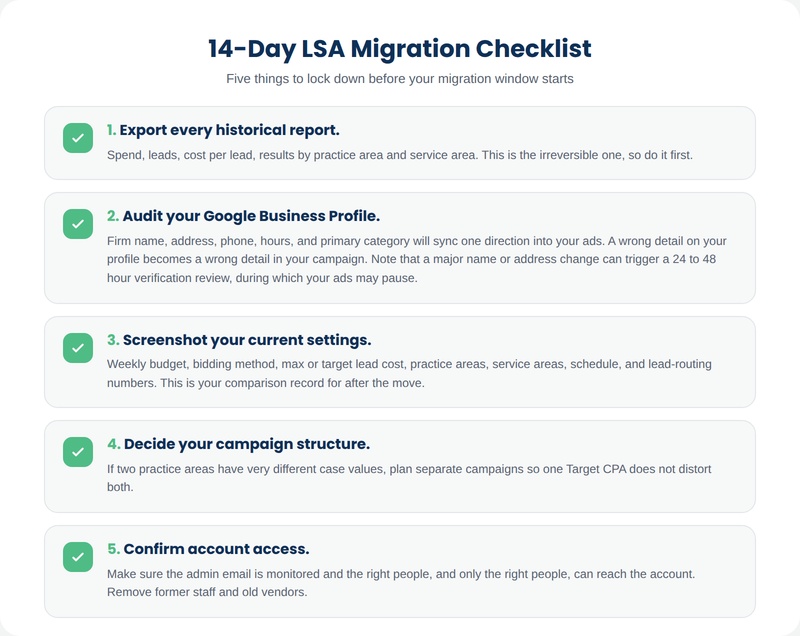
Your 14-Day Pre-Migration Checklist
When that notice lands, work this list before your migration date. None of it takes long, and each item prevents a specific, avoidable loss.
- Export every historical report. Spend, leads, cost per lead, results by practice area and service area. This is the irreversible one, so do it first.
- Audit your Google Business Profile. Firm name, address, phone, hours, and primary category will sync one direction into your ads. A wrong detail on your profile becomes a wrong detail in your campaign. Note that a major name or address change can trigger a 24 to 48 hour verification review, during which your ads may pause.
- Screenshot your current settings. Weekly budget, bidding method, max or target lead cost, practice areas, service areas, schedule, and lead-routing numbers. This is your comparison record for after the move.
- Decide your campaign structure. If two practice areas have very different case values, plan separate campaigns so one Target CPA does not distort both.
- Confirm account access. Make sure the admin email is monitored and the right people, and only the right people, can reach the account. Remove former staff and old vendors.
Then, the day the account moves, test the intake path end to end. Call your own ad, send a message lead, and confirm it reaches the correct phone and inbox. A migrated campaign can look healthy while leads quietly route to a disconnected number. If you would rather hand the whole transition to a team that manages legal LSA and Google Ads accounts every day, book a strategy call with Constellation and we will pressure-test your setup before and after the switch.
The migration is automatic. Protecting your leads and your reporting is not. Firms that treat the 14-day notice as a real deadline will move without losing a step. The ones that treat it as spam will spend the next quarter guessing what their LSAs used to do. If you run paid campaigns across several practice areas, this is also a natural moment to revisit strategy for personal injury, family law, immigration, and criminal defense firms while everything is already on the table.

Frequently Asked Questions
Are Local Services Ads going away for law firms?
No. Google is moving Local Services Ads into the Google Ads platform as a specialized Performance Max campaign type with pay-per-lead goals. You keep the pay-per-lead model, the Search and Maps placements, and your Google Verified badge. Only the management platform and some controls change.
Will my firm start paying per click instead of per lead?
No. The pay-per-lead billing model stays. You are still charged only for valid leads like phone calls and messages, not for clicks or impressions, even though the campaign now runs on Performance Max technology.
What happens to my historical LSA performance data?
It does not transfer. Past spend, lead counts, and cost-per-lead reports stay behind when your account migrates, and the old dashboard becomes inaccessible. Your past leads and message history do carry over, but the performance reports do not. Export them before your migration date.
When will my law firm be migrated to Performance Max?
Home and storefront services migrate first, in August 2026. Google's late-2026 wave covers service-area businesses without a storefront and accounts with custom bidding, which is where most law firms fall. Remaining categories move through 2027. You will get a 14-day advance email before your specific date.
Can I still set a maximum cost per lead after migration?
No. Manual max-CPL bidding is being deprecated. You will use an automated Target CPA instead, which is an average goal rather than a hard cap. Individual leads may cost more or less than your target, and Google steers toward the target as an average over time.
Should I create separate campaigns for each practice area?
Often, yes. Target CPA applies at the campaign level, so mixing high-value personal injury leads with lower-value practice areas in one campaign forces a single blended target on all of them. Separate campaigns let you set a distinct target and budget per practice area. New pay-per-lead campaigns currently must be created through g.co/localservices.
Why did my weekly budget change to a daily budget?
Google Ads runs on average daily budgets, so your weekly LSA budget is divided by 7 on transition day. Your monthly spend does not change. It stays capped at the daily average times 30.4. Daily spend can fluctuate on busy days while the monthly total stays within that limit.
Will my Google Verified badge and verification carry over?
Yes. Your existing verification status and Google Verified badge transfer automatically. You should not need to repeat license or insurance verification simply because the account moved, though Google may request additional business-level checks later if needed.
Will LSAs start showing on YouTube or Gmail after becoming Performance Max?
No. Despite the Performance Max branding, these pay-per-lead campaigns serve only on Google Search and Google Maps, in the same Local Services positions as before. They do not expand to YouTube, Gmail, or the Display Network.
What is the single most important thing to do before migration?
Download your historical performance reports. Everything else can be adjusted after the fact, but lost reporting data cannot be recovered once the old dashboard closes. Export spend, leads, cost per lead, and results by practice area, then store the files where your whole team can reach them.
Do I need to rebuild my LSA campaign from scratch?
No. Your existing campaign settings, targeting, service areas, budget, schedule, and photos transfer automatically. Your job is to verify those settings after the move and adjust bidding and budget to the new model, not to rebuild the campaign.